%20rotate(-45)'/%3e%3cpath%20id='Rectangle_4'%20data-name='Rectangle%204'%20class='cls-2'%20d='M77.46,23.45l14.57-14.57c11.84-11.84,31.03-11.84,42.87,0l43.94,43.94c11.84,11.84,11.84,31.03,0,42.87l-14.57,14.57h0L77.46,23.45h0Z'/%3e%3cg%3e%3cpath%20class='cls-1'%20d='M283.26,141.98h-5.3l-12.5-36.8v47.6h-8.8v-70h9l14.9,43.5,15.1-43.5h9.3v70h-9.1v-47.6l-12.6,36.8Z'/%3e%3cpath%20class='cls-1'%20d='M316.15,152.78v-70h29.5v8.3h-20.1v22h17v8.4h-17v23h20.4v8.3h-29.8Z'/%3e%3cpath%20class='cls-1'%20d='M384.55,91.08h-12.2v61.7h-9.4v-61.7h-12.2v-8.3h33.8v8.3Z'/%3e%3cpath%20class='cls-1'%20d='M391.45,152.78v-70h29.5v8.3h-20.1v22h17v8.4h-17v23h20.4v8.3h-29.8Z'/%3e%3cpath%20class='cls-1'%20d='M457.65,152.78l-9.7-28.7h-8.2v28.7h-9.4v-70h17.5c10.6,0,17,4.5,17,14.8v11.7c0,7-3,11.3-8.2,13.4l10.6,30.1h-9.6ZM439.75,115.88h7.7c5.2,0,8-2.1,8-8.3v-8.2c0-6.2-2.8-8.3-8-8.3h-7.7v24.8Z'/%3e%3cpath%20class='cls-1'%20d='M509.95,97.58v12.5c0,10.3-6.4,14.8-17,14.8h-8.1v27.9h-9.4v-70h17.5c10.6,0,17,4.5,17,14.8ZM500.55,99.38c0-6.2-2.8-8.3-8-8.3h-7.7v25.4h7.7c5.2,0,8-2.1,8-8.2v-8.9Z'/%3e%3cpath%20class='cls-1'%20d='M535.15,81.98h.8c10.6,0,17,4.5,17,14.8v42c0,10.3-6.4,14.8-17,14.8h-.8c-10.6,0-17-4.5-17-14.8v-42c0-10.4,6.4-14.8,17-14.8ZM535.55,145.28c5.2,0,8-2.1,8-8.3v-38.4c0-6.2-2.8-8.3-8-8.3s-8,2.1-8,8.3v38.4c0,6.2,2.8,8.3,8,8.3Z'/%3e%3cpath%20class='cls-1'%20d='M591.05,152.78l-9.7-28.7h-8.2v28.7h-9.4v-70h17.5c10.6,0,17,4.5,17,14.8v11.7c0,7-3,11.3-8.2,13.4l10.6,30.1h-9.6ZM573.15,115.88h7.7c5.2,0,8-2.1,8-8.3v-8.2c0-6.2-2.8-8.3-8-8.3h-7.7v24.8Z'/%3e%3cpath%20class='cls-1'%20d='M637.75,91.08h-12.2v61.7h-9.4v-61.7h-12.2v-8.3h33.8v8.3Z'/%3e%3cpath%20class='cls-1'%20d='M663.05,136.28h-15l-3,16.5h-9.1l13.9-70h11.6l14.1,70h-9.6l-2.9-16.5ZM661.55,128.38l-6-33.8-6.1,33.8h12.1Z'/%3e%3cpath%20class='cls-1'%20d='M710.85,152.78h-28.3v-70h9.4v61.5h18.9v8.5Z'/%3e%3c/g%3e%3c/g%3e%3c/g%3e%3c/svg%3e)
Forgot your password?
If you have forgotten your password, you can quickly reset it directly from the login screen in the app:
Back to guides
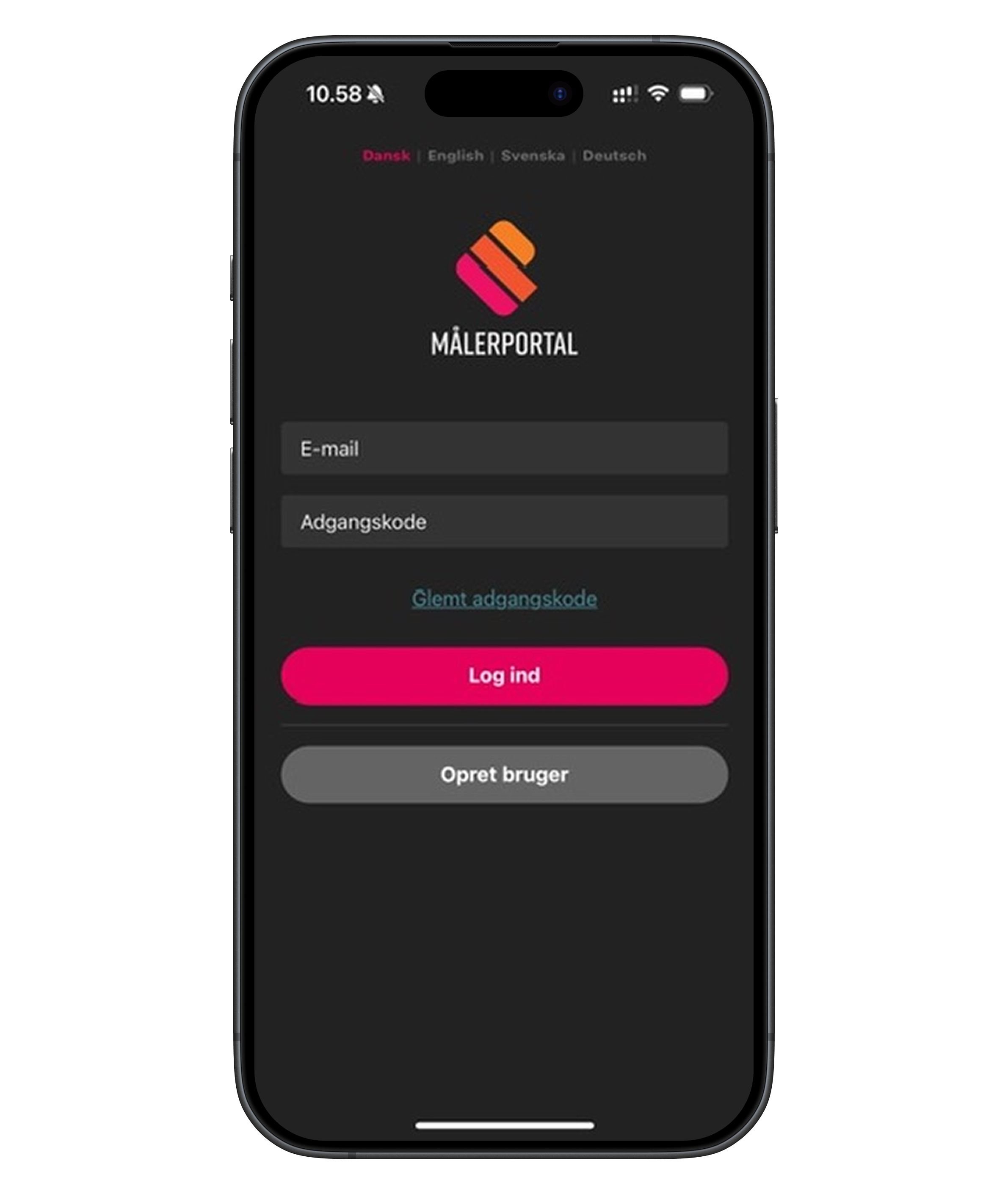
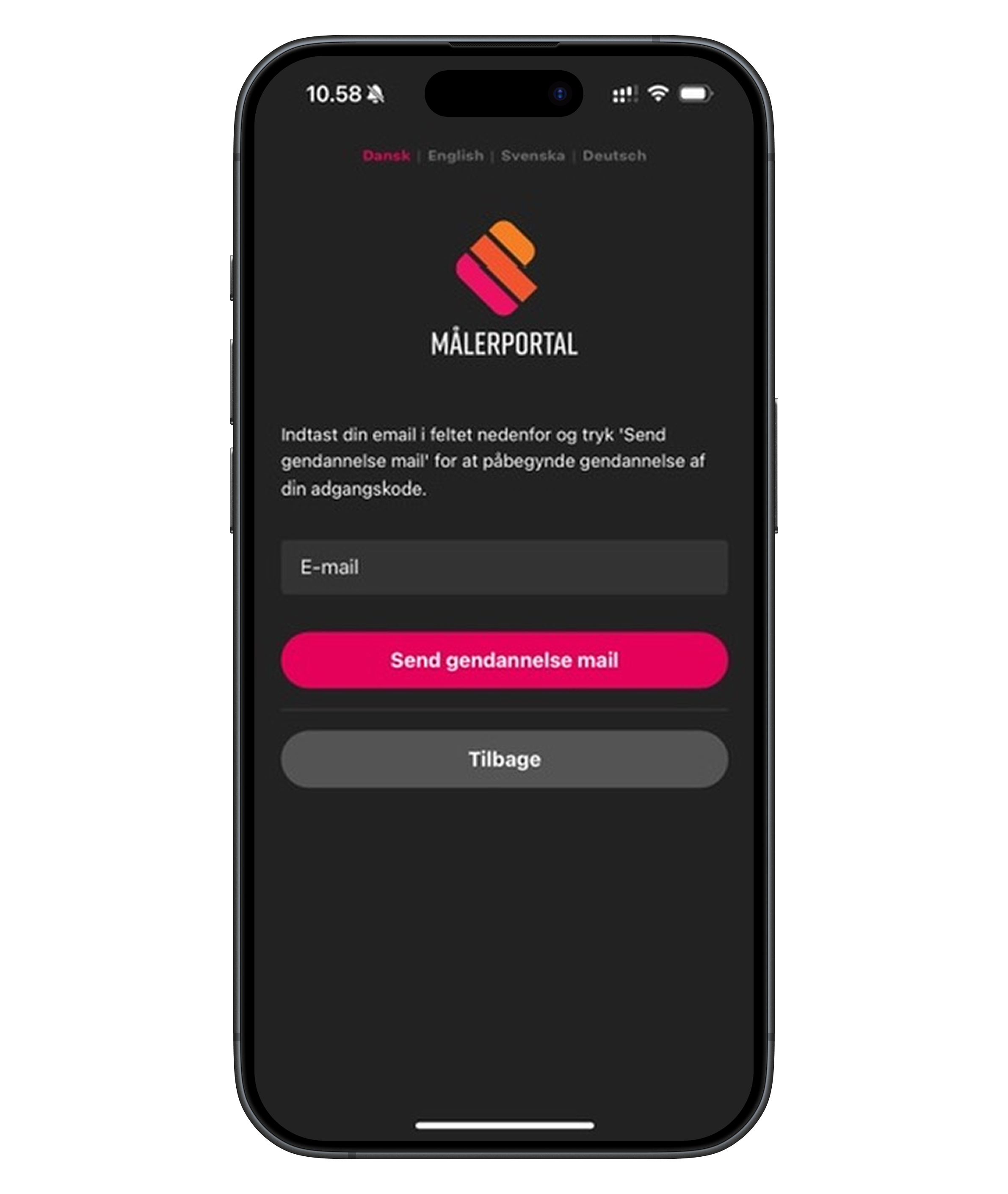
If you have forgotten your password, you can quickly reset it directly from the login screen in the app:
- Open the app and tap "Forgot password" below the login fields.
- Enter your email address in the field shown.
- Tap "Send recovery email".
- You will now receive an email with a link to create a new password.
(Check your spam folder if you don't receive the email within a few minutes.) - Follow the link in the email and choose a new password.
💡 Choose a password that is easy for you to remember – but hard for others to guess.
Are you having trouble resetting your password? Feel free to contact us at info@meterportal.eu, and we will help you further.