%20rotate(-45)'/%3e%3cpath%20id='Rectangle_4'%20data-name='Rectangle%204'%20class='cls-2'%20d='M77.46,23.45l14.57-14.57c11.84-11.84,31.03-11.84,42.87,0l43.94,43.94c11.84,11.84,11.84,31.03,0,42.87l-14.57,14.57h0L77.46,23.45h0Z'/%3e%3cg%3e%3cpath%20class='cls-1'%20d='M283.26,141.98h-5.3l-12.5-36.8v47.6h-8.8v-70h9l14.9,43.5,15.1-43.5h9.3v70h-9.1v-47.6l-12.6,36.8Z'/%3e%3cpath%20class='cls-1'%20d='M316.15,152.78v-70h29.5v8.3h-20.1v22h17v8.4h-17v23h20.4v8.3h-29.8Z'/%3e%3cpath%20class='cls-1'%20d='M384.55,91.08h-12.2v61.7h-9.4v-61.7h-12.2v-8.3h33.8v8.3Z'/%3e%3cpath%20class='cls-1'%20d='M391.45,152.78v-70h29.5v8.3h-20.1v22h17v8.4h-17v23h20.4v8.3h-29.8Z'/%3e%3cpath%20class='cls-1'%20d='M457.65,152.78l-9.7-28.7h-8.2v28.7h-9.4v-70h17.5c10.6,0,17,4.5,17,14.8v11.7c0,7-3,11.3-8.2,13.4l10.6,30.1h-9.6ZM439.75,115.88h7.7c5.2,0,8-2.1,8-8.3v-8.2c0-6.2-2.8-8.3-8-8.3h-7.7v24.8Z'/%3e%3cpath%20class='cls-1'%20d='M509.95,97.58v12.5c0,10.3-6.4,14.8-17,14.8h-8.1v27.9h-9.4v-70h17.5c10.6,0,17,4.5,17,14.8ZM500.55,99.38c0-6.2-2.8-8.3-8-8.3h-7.7v25.4h7.7c5.2,0,8-2.1,8-8.2v-8.9Z'/%3e%3cpath%20class='cls-1'%20d='M535.15,81.98h.8c10.6,0,17,4.5,17,14.8v42c0,10.3-6.4,14.8-17,14.8h-.8c-10.6,0-17-4.5-17-14.8v-42c0-10.4,6.4-14.8,17-14.8ZM535.55,145.28c5.2,0,8-2.1,8-8.3v-38.4c0-6.2-2.8-8.3-8-8.3s-8,2.1-8,8.3v38.4c0,6.2,2.8,8.3,8,8.3Z'/%3e%3cpath%20class='cls-1'%20d='M591.05,152.78l-9.7-28.7h-8.2v28.7h-9.4v-70h17.5c10.6,0,17,4.5,17,14.8v11.7c0,7-3,11.3-8.2,13.4l10.6,30.1h-9.6ZM573.15,115.88h7.7c5.2,0,8-2.1,8-8.3v-8.2c0-6.2-2.8-8.3-8-8.3h-7.7v24.8Z'/%3e%3cpath%20class='cls-1'%20d='M637.75,91.08h-12.2v61.7h-9.4v-61.7h-12.2v-8.3h33.8v8.3Z'/%3e%3cpath%20class='cls-1'%20d='M663.05,136.28h-15l-3,16.5h-9.1l13.9-70h11.6l14.1,70h-9.6l-2.9-16.5ZM661.55,128.38l-6-33.8-6.1,33.8h12.1Z'/%3e%3cpath%20class='cls-1'%20d='M710.85,152.78h-28.3v-70h9.4v61.5h18.9v8.5Z'/%3e%3c/g%3e%3c/g%3e%3c/g%3e%3c/svg%3e)
Change password
If you want to update your password, you can easily do so directly in the app.
Back to guides
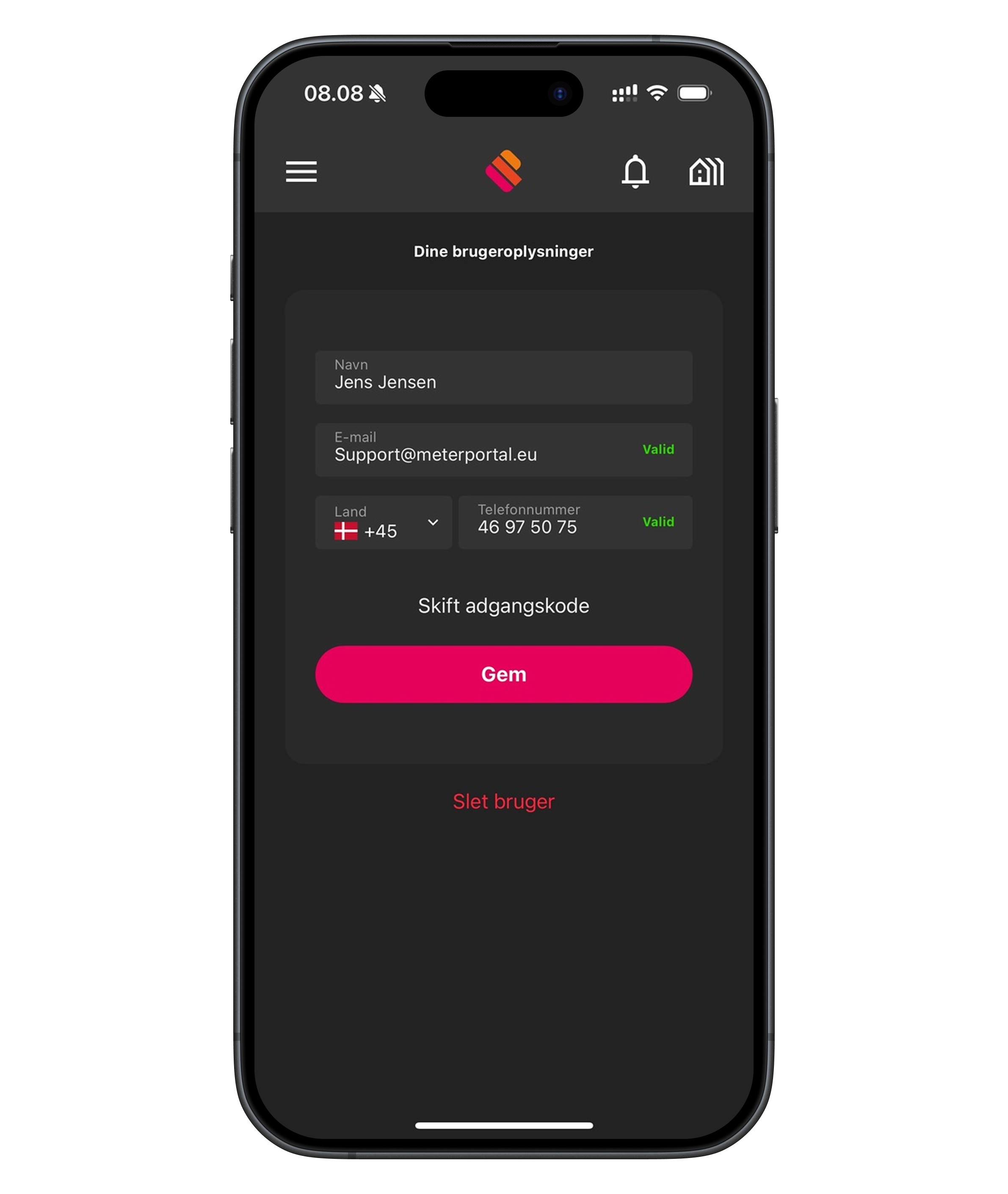
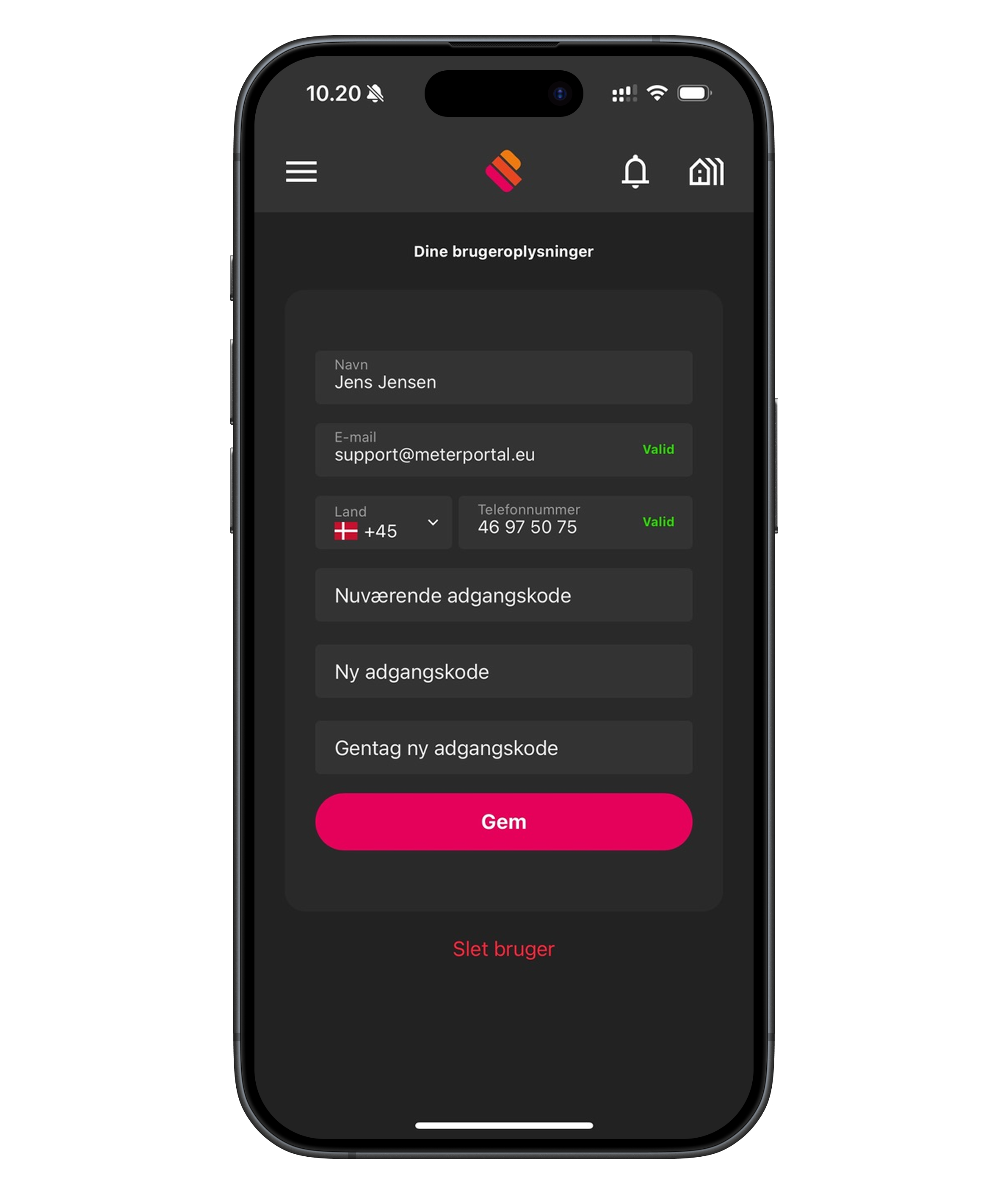
If you want to update your password, you can easily do so directly in the app. Follow this guide:
- Tap the menu icon in the top left corner of the app.
- Select "Your profile" in the menu – you are taken to the page with your user details.
- Tap the "Change password" button under your contact details.
- Enter the following: Your current password, your new password, repeat your new password.
- Tap "Save" to confirm the change.
💡 Choose a password that you don't use anywhere else and that contains both letters and numbers for better security.